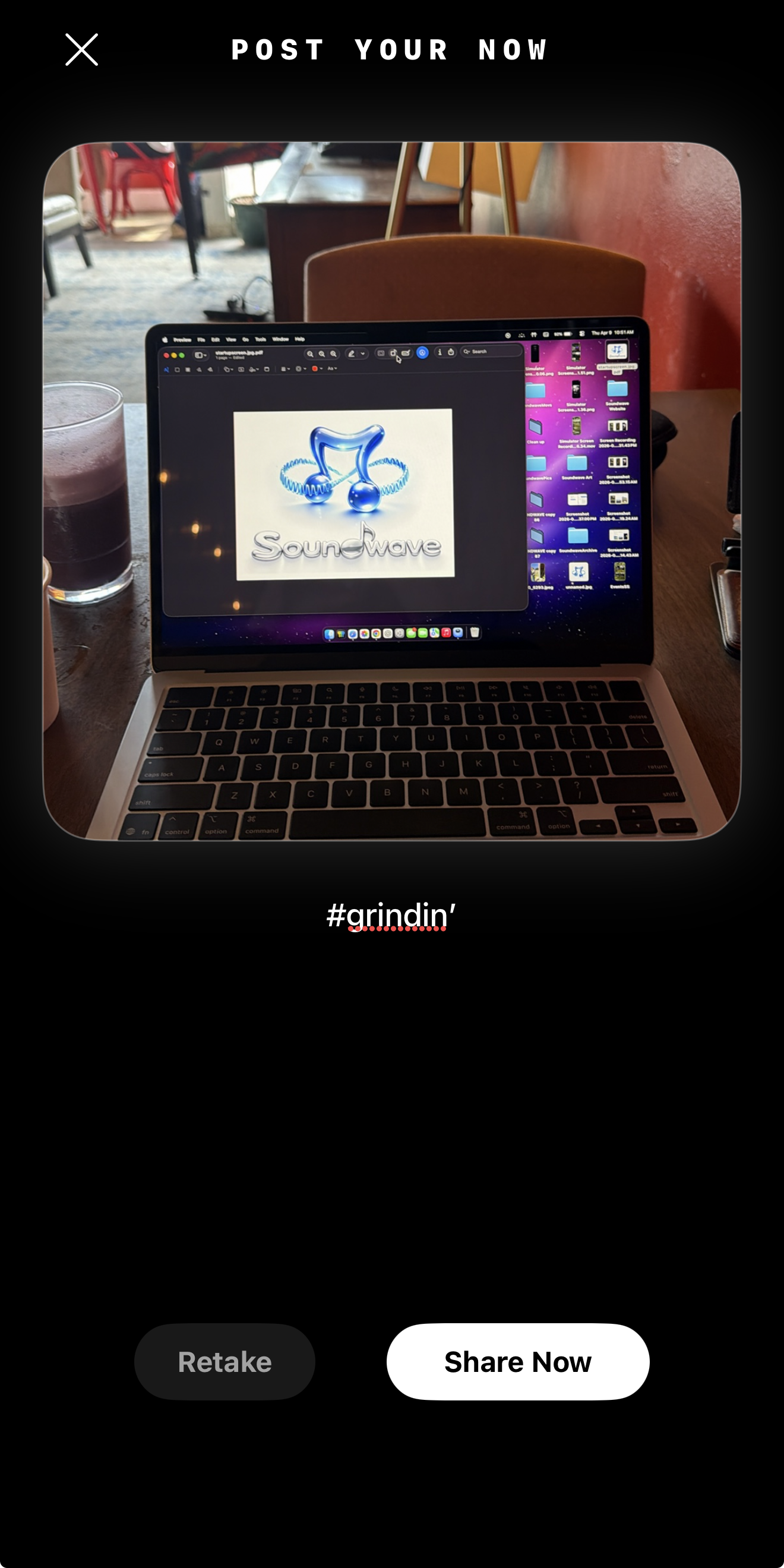
Your people. In the moment.
Your people.
In the moment.
Everyday life, music, and honest thoughts, shared in the order they happen.

A little more of your world.
Share the coffee stop, the view, or whatever’s on your mind. Photos and text posts live together in a chronological feed.

Share on your terms.
Choose who sees your post, add photos or links, and decide whether others can repost it. Direct to Grid lets you add to your profile without sending a post to the feed, while Must See includes it in the Must See filter.

Let people in on your latest obsession.
Share a song you keep coming back to, or a review from your Journal. Friends can discover it and join the conversation.
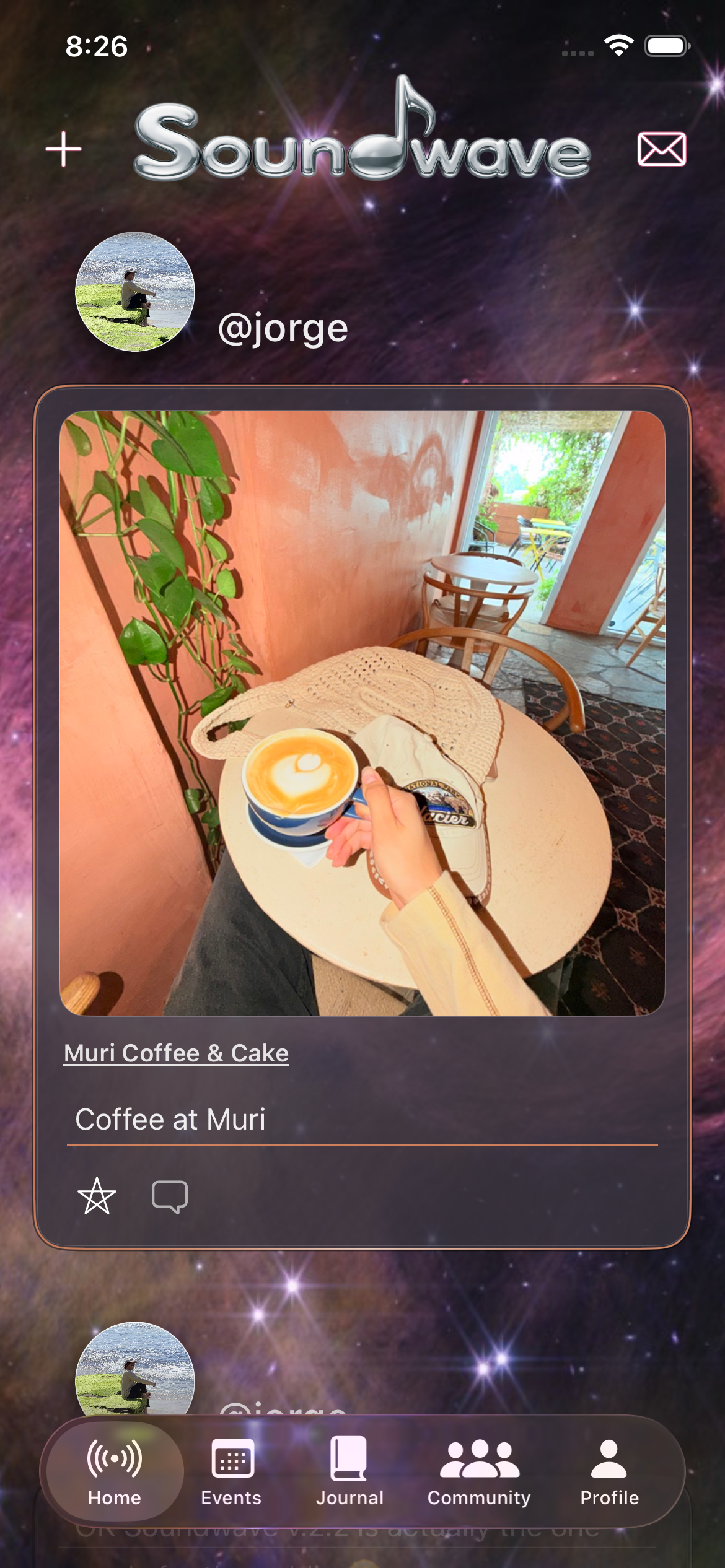
Chronological Main Feed
Catch up with your people
Photos, everyday moments, songs on repeat, and honest reviews—all in one chronological feed. See what your community is sharing, in the order it happens.
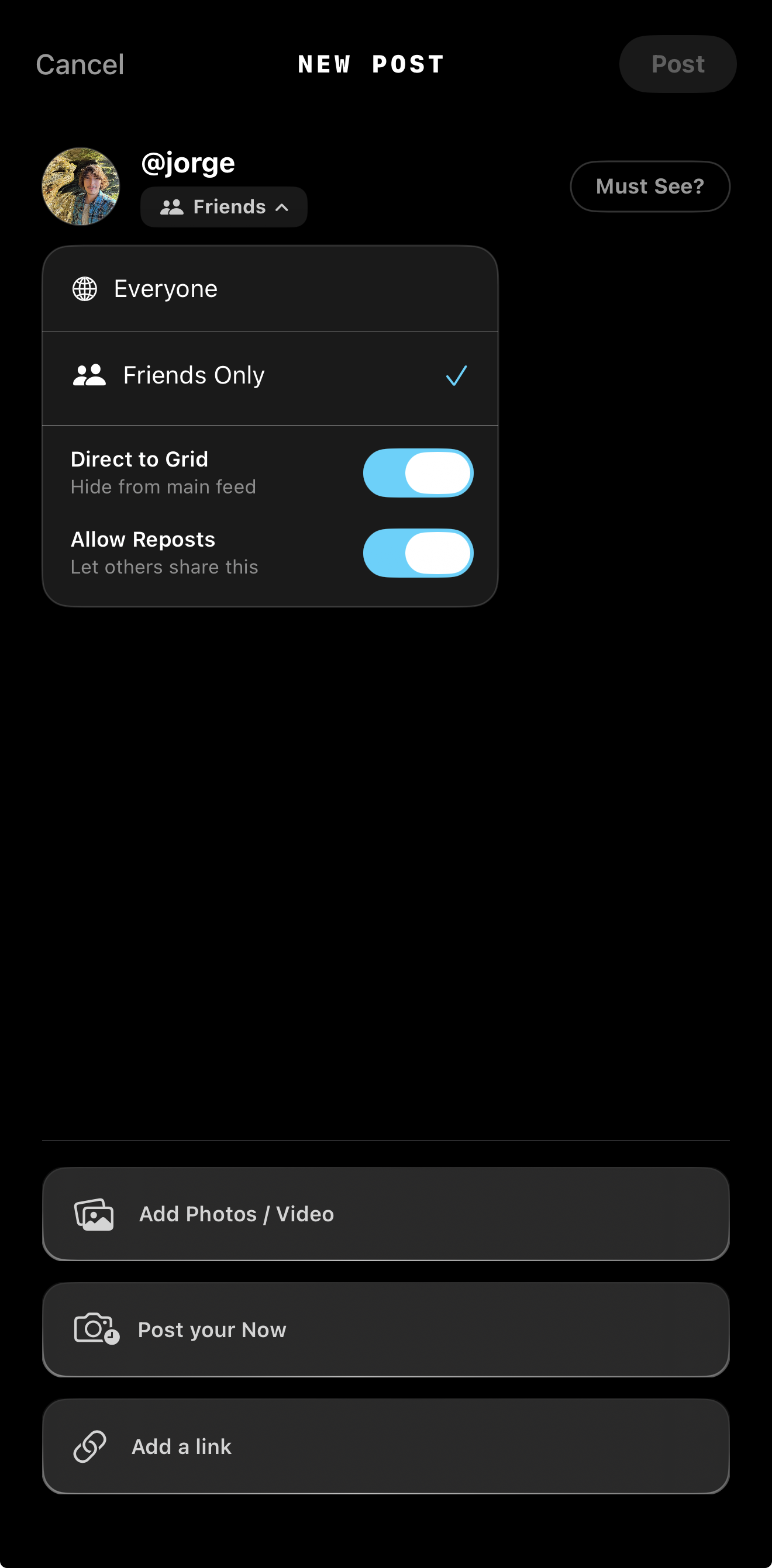
Post Creation
Configure Audience and Distribution
The post creation section offers all the settings you could want for a post. Users can restrict post visibility to "Friends Only" or set it to "Everyone." The "Direct to Grid" toggle allows users to publish images exclusively to their profile's visual grid without broadcasting the update to the main feed. Additionally, users can toggle reposting permissions and attach external links, photos, or videos to their posts.
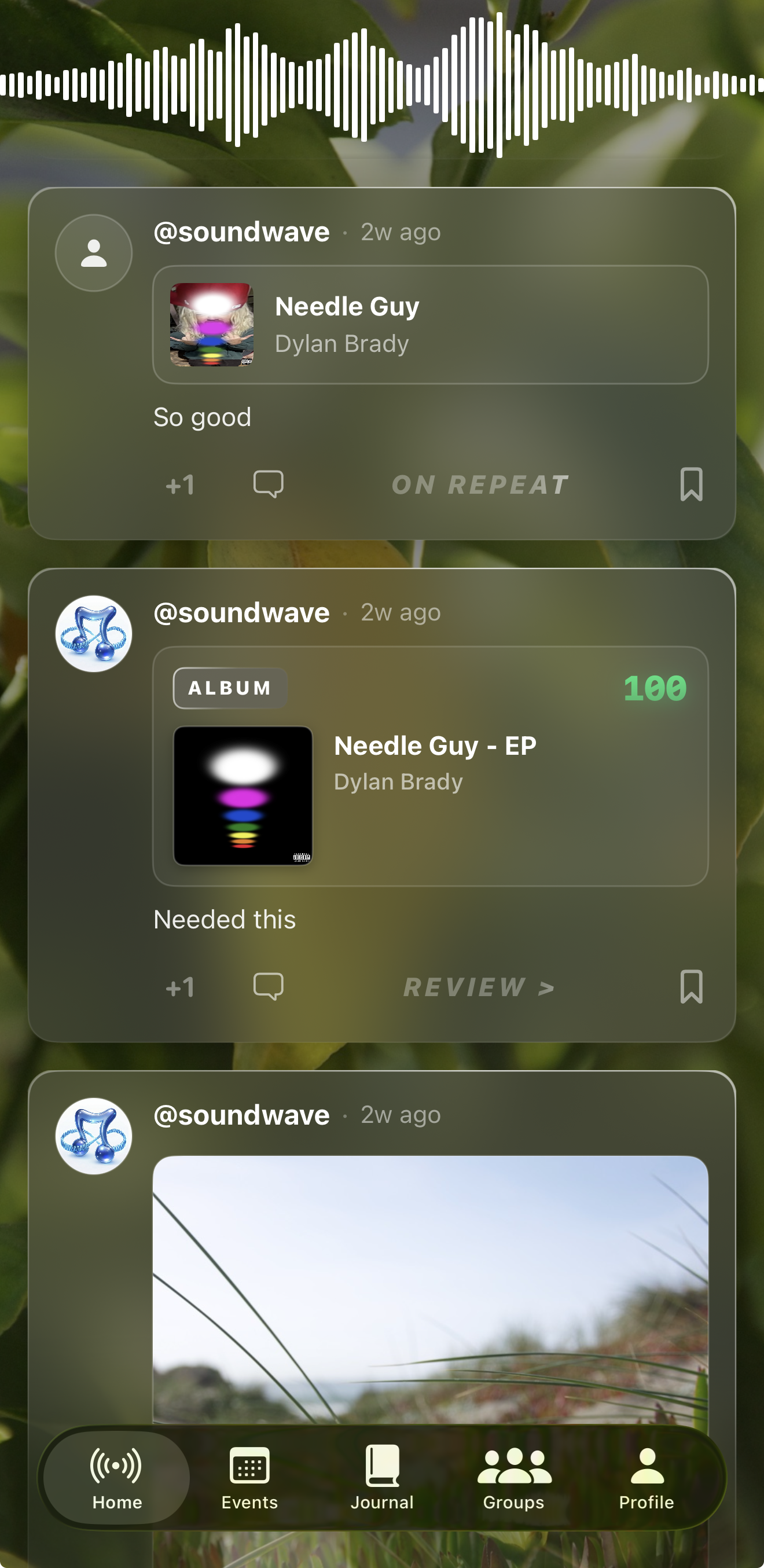
Integrated Media and Reviews
Display Journal Entries in the Timeline
When friends update their "On Repeat" or submit a new media review these posts can show up on the feed. These posts pull in the relevant media metadata—such as album artwork, artist names, or show titles—alongside the user's personal numerical rating and text commentary. This system allows your network to read and interact with your specific media logs directly from the main timeline without needing to navigate to your profile.
Real-Time "Now" Updates
Share Immediate Statuses
The "Post Your Now" feature allows users to capture and share immediate, in-the-moment activities. Utilizing the device's camera, users can take a photo of their current situation. These specific updates appear in the main feed accompanied by a distinct visual badge, signaling to followers that the post represents a live, ongoing activity rather than a standard photo upload or media review.